Design • Development • Manufacturing
Stock OffersContact

APPLICATIONS

Senior Living & Nursing Care

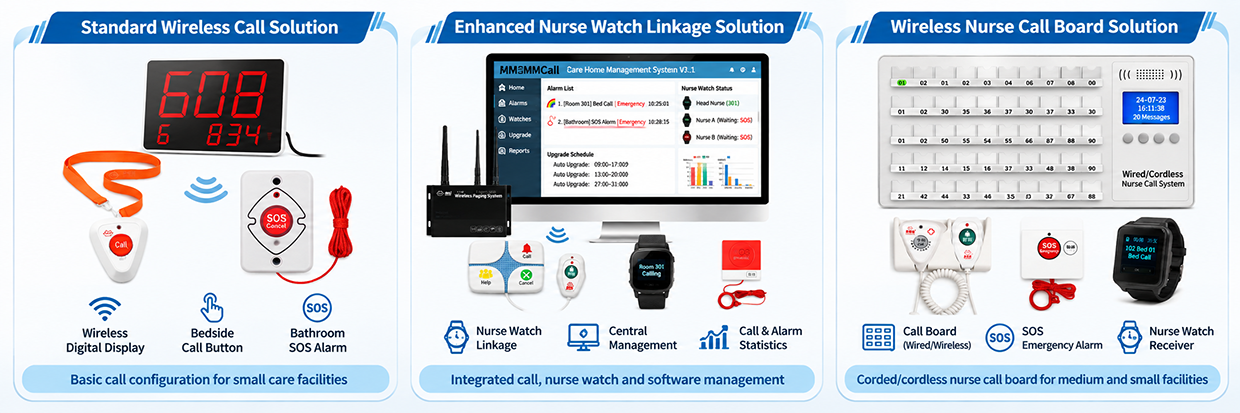
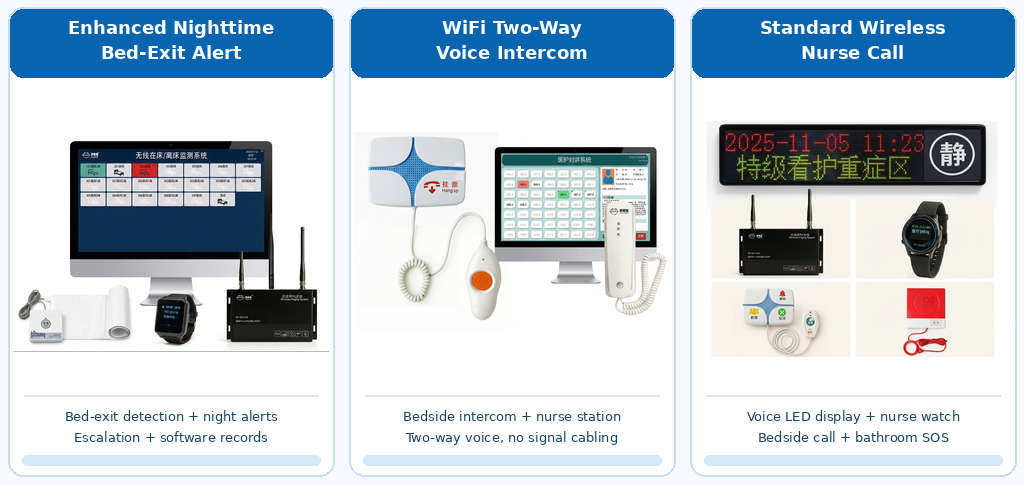
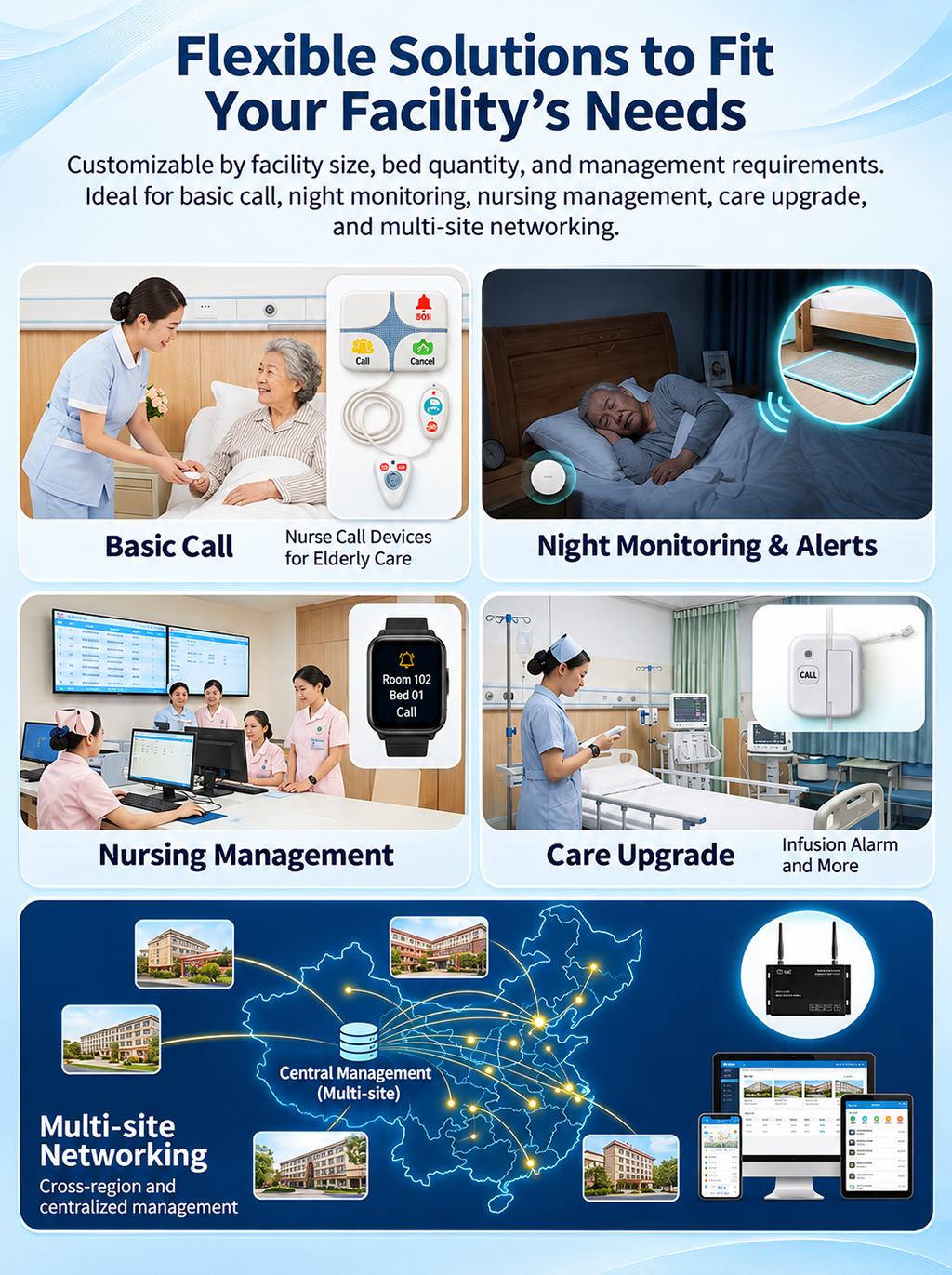
Wireless bedside call buttons, bathroom emergency pull cords, caregiver watch pagers, and nursing station management software help care teams receive and manage resident requests efficiently. WiFi two-way intercom and remote cloud calling options can also be incorporated. MMCall system brings together wireless resident calling, emergency alerts, automatic bed-exit monitoring, configurable escalation workflows, and care service reporting in one integrated solution. Designed for nursing homes, assisted living facilities, long-term care centers, and senior care groups, the system supports both individual facility operations and centralized management across multiple locations.

Senior Living & Nursing Care

One System. Connected Care. Clearer Management

The Challenges Facing Senior Care Facilities When Every Call Matters, Communication Needs to Be Managed

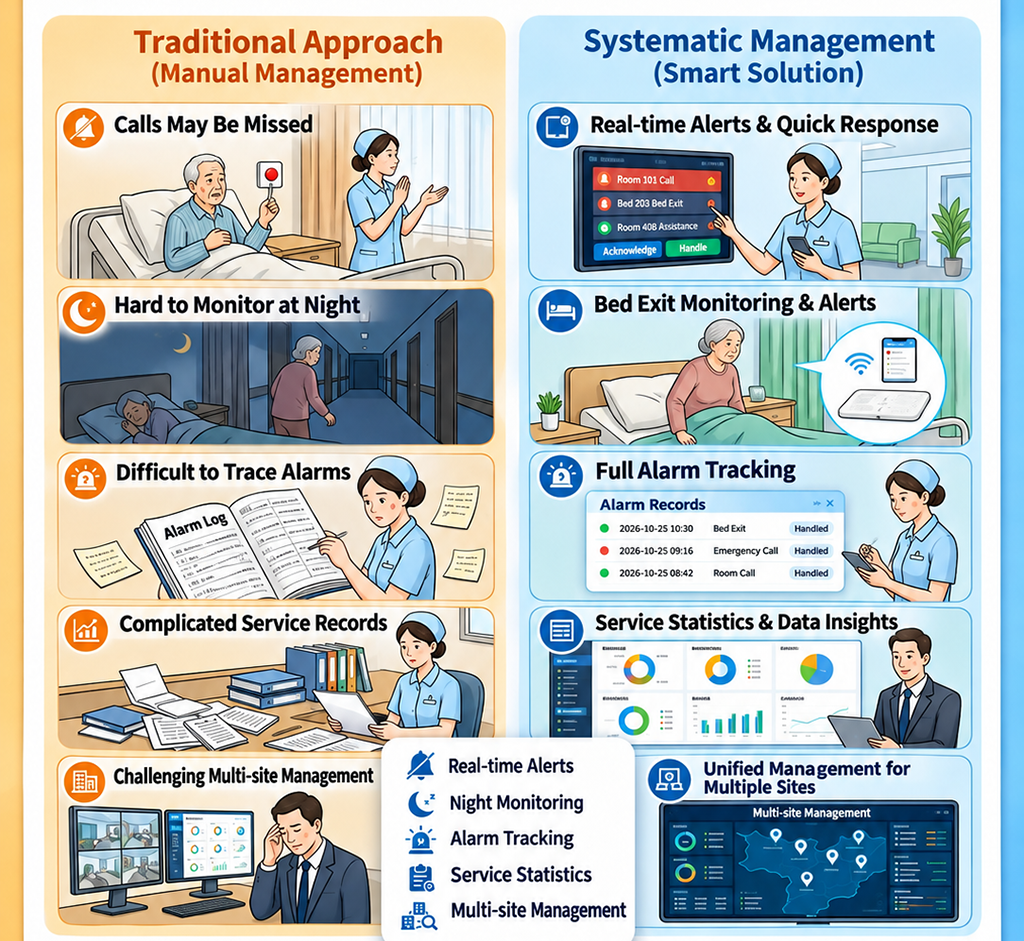
Care teams work in demanding environments where multiple residents may need assistance at the same time. Relying on simple call buttons and manual follow-up alone may make it difficult to maintain visibility over all care requests.

Are Resident Calls Being Acknowledged?

When a resident requests assistance, can the responsible caregiver receive and identify the request promptly?

Who Notices an Unexpected Bed Exit at Night?

During overnight shifts, residents may leave their beds without requesting help. How can staff identify situations that require follow-up?

What Happens When a Call Goes Unanswered?

If an emergency request is not attended to within a reasonable time, is there a defined reminder and escalation process?

Can Managers Review Care Service Performance?

Without structured event records, it can be difficult to understand call volumes, response times, and recurring service issues.

How Can Multiple Care Facilities Be Managed Consistently?

For organizations operating several nursing homes, monitoring service activities and maintaining consistent management procedures can become increasingly complex.

From Individual Calls to a Managed Care Workflow

MMCall helps care organizations address these challenges through connected devices, configurable alerts, escalation workflows, and management software.

One Integrated System for Calling, Alerts, and Care Management

From Resident Assistance to Recorded Care Events

The MMCall system brings together the communication and monitoring functions used in everyday senior care operations.

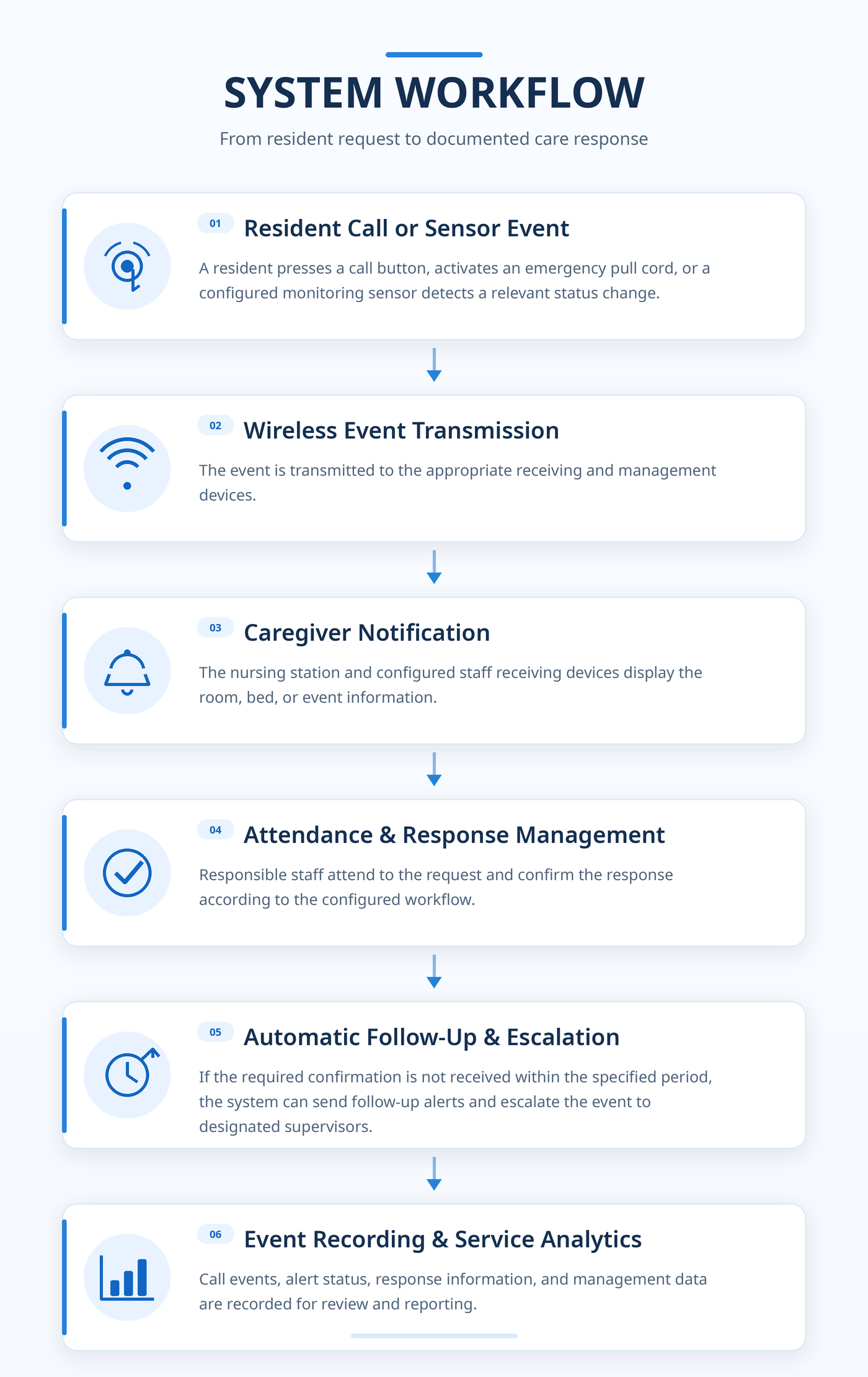
Instead of treating every call or alarm as an isolated notification, the system supports a structured process for receiving requests, notifying staff, confirming attendance, managing unresolved events, and reviewing service activity.

Help Is Just One Button Away

Wireless Resident Calling & Emergency Assistance

Residents may need assistance while resting in bed, moving around their rooms, or using bathroom facilities.

MMCall provides wireless calling and emergency alert devices that allow residents to request assistance through simple, accessible controls.

Compatible receiving devices help caregivers identify the location and type of request.

Key Functions

Bedside Calling

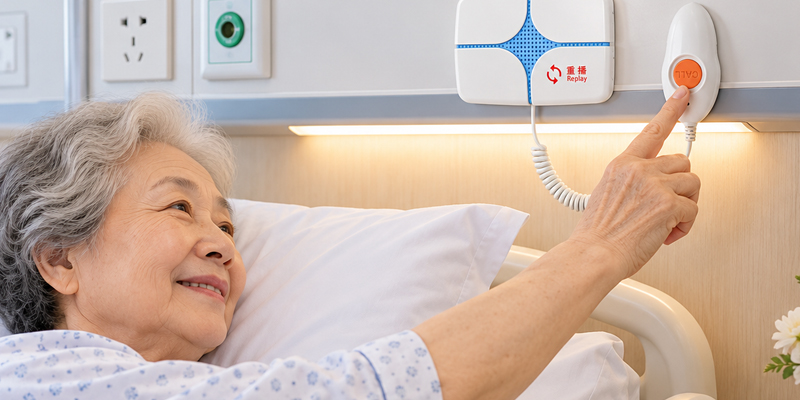
Residents can request assistance using wireless bedside call buttons.

Bathroom Emergency Pull Cords

Dedicated pull-cord devices provide an accessible way to request assistance in bathrooms and toilets.

Room & Bed Identification

Compatible displays and management software can identify the originating room or bed.

Nursing Station Notifications

Care requests can appear on centralized receiving terminals and management screens.

Caregiver Watch Pagers

Staff can receive compatible call notifications while moving between rooms and care areas.

Event Status Management

The system can support staff confirmation and event status recording through configured workflows.

Application Example

A resident in Room 203 presses the bedside call button. The wireless system sends the request to the nursing station and designated staff receiving devices.

The room information appears on the display, allowing the responsible caregiver to identify the location and provide assistance.

Simple for Residents. Practical for Care Teams.

Better Visibility During Overnight Care

Automatic Bed-Exit Monitoring & Nighttime Alerts

Nighttime care is an important part of residential care operations.

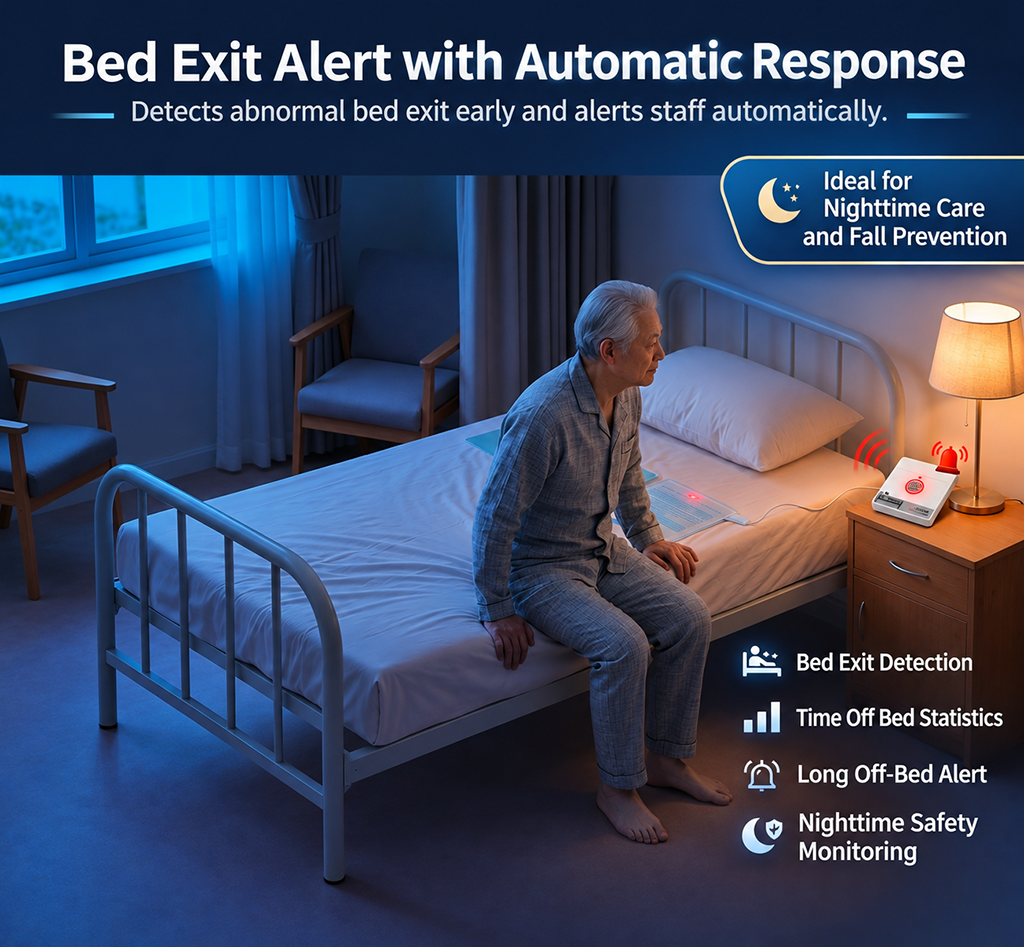
Some residents may leave their beds without pressing a call button. For residents who require additional observation, knowing when they have left their beds can support timely staff follow-up.

MMCall can combine compatible pressure-sensing bed pads with monitoring devices and care management software to provide automatic occupancy status monitoring and configurable bed-exit alerts.

Key Functions

Automatic Bed Occupancy Monitoring

Compatible pressure-sensing devices detect changes between occupied and unoccupied bed states.

Bed-Exit Status Notification

The system can notify designated staff when a monitored resident leaves the bed.

Bed-Exit Duration Tracking

Monitoring software records the duration of a detected bed absence according to the selected configuration.

Configurable Alert Thresholds

Care teams can set an allowed bed-exit duration based on the resident's individual monitoring requirements.

Overdue Bed-Exit Alerts

If the resident remains out of bed beyond the configured threshold, the system generates an alert for staff follow-up.

Nighttime Event Records

Bed occupancy changes and alert events can be reviewed through the management software.

Example Monitoring Workflow

Resident is in bed → Bed occupancy is detected → Resident leaves the bed → Monitoring timer starts → Resident returns or the configured time limit is reached → Status is updated or an alert is issued.

Suitable Care Environments

  • Nursing homes
  • Assisted living facilities
  • Long-term care centers
  • Rehabilitation care facilities
  • Residential care environments requiring enhanced nighttime observation

Support Nighttime Monitoring Without Relying Only on Manual Rounds.

Bed-exit monitoring is an assistive care management function and does not replace direct supervision or appropriate resident safety procedures.

An Unattended Call Should Not Simply Disappear

Automatic Call Follow-Up & Multi-Level Escalation

Receiving a call is only the beginning of the response process.

When several requests occur at once, care staff may be occupied with other residents. A structured follow-up mechanism helps management teams identify requests that have not received the required response confirmation.

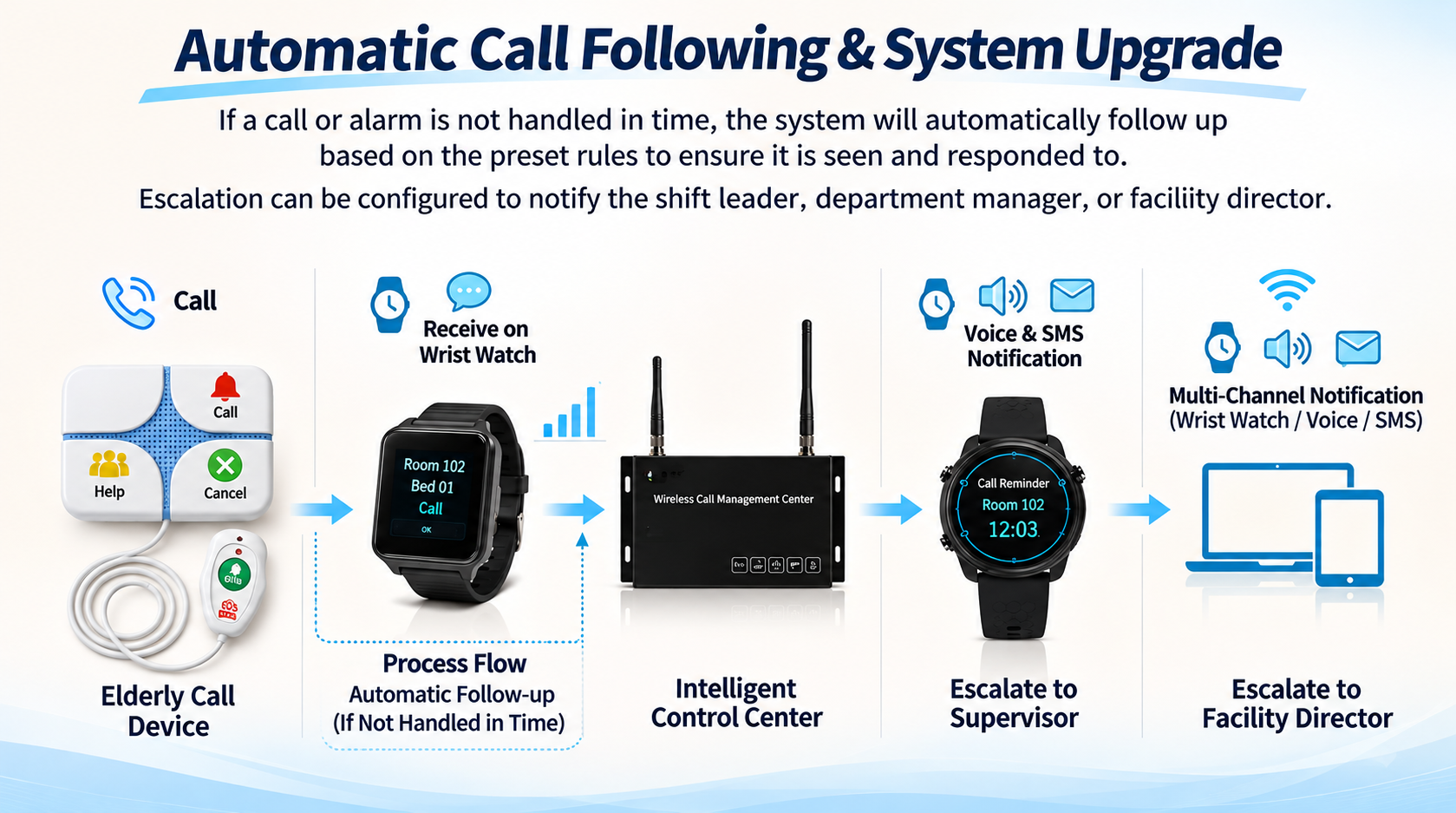
MMCall supports configurable call follow-up and multi-level escalation workflows.

Key Functions

Configurable Response Time Limits

Define the time allowed for staff to attend to a call and complete the required confirmation.

Automatic Follow-Up Alerts

If an event remains unconfirmed after the configured period, the system can generate another notification.

Supervisor Escalation

Unresolved events can be forwarded to a designated care supervisor.

Management Escalation

If the event remains unresolved, notifications can be escalated to the facility manager or director according to the configured procedure.

Multiple Notification Methods

Depending on the system configuration, notifications may be delivered through compatible staff watches, voice notification functions, or SMS services.

Escalation Records

Management software can record relevant events and escalation information for later review.

Why It Matters

A structured escalation process supports clearer accountability, greater visibility of outstanding requests, and more consistent care service management.

From Call Notification to Response Follow-Up.

Extend the System Beyond Basic Resident Calling

Additional Care Monitoring Functions

Different care environments may require monitoring functions beyond bedside calling and emergency alerts.

MMCall supports additional care-related monitoring modules that can be selected according to the facility's operational requirements.

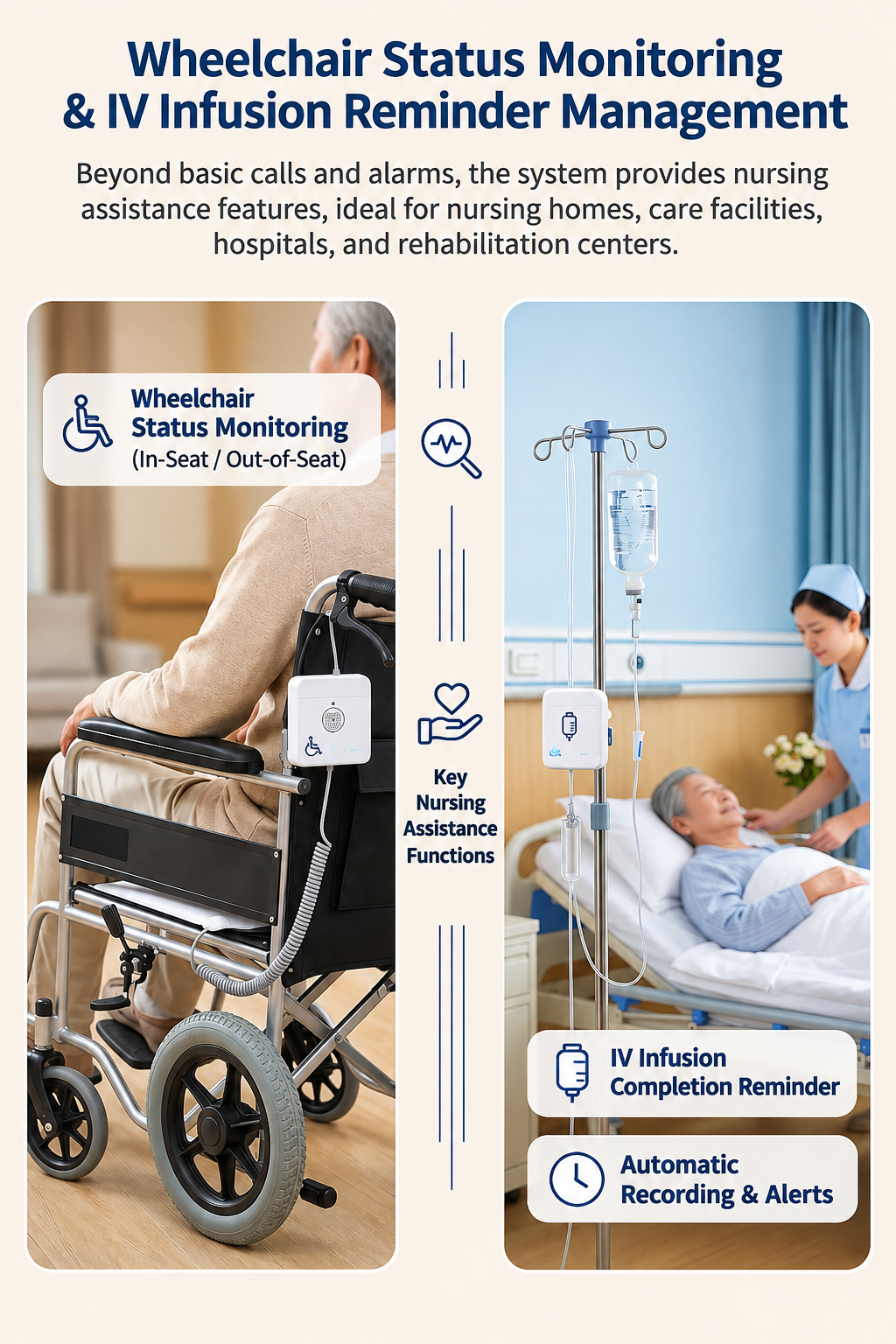
Wheelchair Seat Occupancy Monitoring

Monitor Seated and Unseated Status

Compatible wheelchair seat sensors can help caregivers monitor whether a designated resident is occupying or has left a wheelchair.

This function can support additional observation of residents who require closer assistance during daily activities.

Available Functions:

  • Seated and unseated status detection
  • Monitoring of designated residents
  • Compatible event notification
  • Status recording through the configured management system

IV Infusion Completion Reminders

Support Staff Notification During Infusion Care

For care facilities that provide nursing or infusion services, compatible reminder devices and management functions can assist staff with selected infusion-related monitoring procedures.

Depending on the configured devices and software, the system can support infusion completion reminders and related event records.

Available Functions:

  • Infusion completion reminders
  • Caregiver notifications
  • Related event records
  • Integration into the facility's care management workflow

The availability and triggering method of these auxiliary functions depend on the selected hardware and software configuration. They are not substitutes for required clinical monitoring.

Designed for One Care Facility or an Entire Care Group

Standalone & Multi-Facility Network Management

Care organizations vary in size and structure.

A single nursing home may need a straightforward local management system, while a multi-location senior care operator may require centralized oversight of several facilities.

MMCall offers two deployment approaches to support these requirements.

Option A — Standalone Facility Management

Independent Operation for a Single Care Facility

A standalone configuration is designed for individual nursing homes, care centers, and similar facilities.

It supports daily calling, alert handling, monitoring, and management functions within one facility, based on the modules selected.

Typical Functions:

  • Wireless resident calling
  • Emergency alert management
  • Bed-exit monitoring options
  • Configurable follow-up and escalation
  • Event records and service reporting
  • Local device and system management

Suitable For:

Independent nursing homes, residential care centers, and single-location long-term care facilities.

Option B — Multi-Facility Network Management

Centralized Oversight for Senior Care Groups

For organizations operating multiple care facilities, the networked management configuration extends selected individual-facility functions to support group-level oversight.

Each facility can operate its own local care management system while authorized group personnel access consolidated management information through the networked platform.

Additional Functions:

  • Multi-facility management
  • Centralized facility overview
  • Group-level operational reports
  • Cross-facility event analysis
  • Remote system maintenance
  • Remote configuration support

Suitable For:

Senior care groups, chain nursing home operators, multi-location care providers, and regional care management organizations.

Local Response. Centralized Oversight.

Single Facility

Resident Devices → Local Receiving & Management System → Care Team

Multi-Facility Group

Facility A + Facility B + Facility C → Networked Management Platform → Group Management Team

Network connectivity, remote administration, and group-level functions depend on the selected deployment configuration.

Choose the Functions That Match Your Care Requirements

Flexible System Packages

MMCall senior care solutions can be configured according to facility size, number of beds, monitoring requirements, and management needs.

The following functional packages provide a framework for project planning.

Package 1 — Essential Care Calling

Wireless Calling & Emergency Assistance

An entry-level configuration for facilities that need a structured way to receive resident assistance requests.

Core Functions:

  • Wireless bedside calling
  • Bathroom emergency alerts
  • Room and bed identification
  • Caregiver call notifications

Recommended For: Facilities introducing a wireless resident calling system.

Package 2 — Calling & Bed-Exit Alerts

Resident Calling with Nighttime Monitoring

Combines basic resident calling functions with compatible bed occupancy and alert management features.

Core Functions:

  • Resident calling and emergency alerts
  • Bed-exit status monitoring
  • Configurable bed-exit time thresholds
  • Overdue bed-exit notifications

Recommended For: Facilities requiring additional nighttime resident observation.

Package 3 — Care Response Management

Automatic Follow-Up, Escalation & Reporting

Designed for care operators that need a more structured approach to call handling and service management.

Core Functions:

  • Configurable call follow-up
  • Automatic reminder notifications
  • Supervisor and director escalation
  • Response event records
  • Care service statistics and reporting

Recommended For: Care facilities focused on response management and operational visibility.

Package 4 — Advanced Care Monitoring

Additional Monitoring for Nursing & Rehabilitation Care

Extends the system with selected auxiliary care monitoring functions.

Core Functions:

  • Wheelchair seat occupancy monitoring
  • IV infusion completion reminders
  • Auxiliary care notifications
  • Related event management and records

Recommended For: Nursing care centers, rehabilitation facilities, and integrated medical and senior care organizations.

Package 5 — Multi-Facility Group Management

Centralized Management Across Multiple Care Locations

Designed for senior care organizations operating several facilities.

Core Functions:

  • Selected standalone facility functions
  • Multi-facility network management
  • Centralized group overview
  • Group-level reporting and analysis
  • Remote maintenance and configuration

Recommended For: Senior care groups and multi-location care operators.

Configurations Built Around Your Facility

Packages are functional references rather than fixed equipment bundles. Specific devices, software functions, system architecture, and implementation requirements are confirmed for each project.
Supporting Different Senior Care Environments

Where the System Can Be Used

Nursing Homes

Wireless resident calling, emergency assistance, bed-exit monitoring, and service management.

Assisted Living Facilities

Easy-to-use resident calling and configurable care team notifications.

Long-Term Care Centers

Care response management, nighttime alerts, and historical event reporting.

Integrated Medical & Senior Care Facilities

Resident calling combined with selected nursing assistance and auxiliary monitoring functions.

Rehabilitation & Recovery Care Centers

Calling systems and optional wheelchair or bed occupancy monitoring according to care needs.

Community-Based Senior Care Centers

Configurable assistance calling and basic care communication management.

Multi-Facility Senior Care Groups

Local care management supported by centralized operational oversight and group reporting.

More Than a Wireless Call Button

Why Choose an Integrated Care Management Solution?

A simple call button sends a request.

A care management system helps organizations manage what happens after that request is received.

MMCall combines wireless devices, receiving terminals, configurable monitoring functions, and management software to support a broader care communication workflow.

More Than Calling

Combine resident assistance requests with emergency alerts and compatible monitoring sensors.

More Than Notification

Use configurable follow-up and escalation procedures for calls that remain unresolved.

More Than Event Display

Record call activity, response information, and alert history for management review.

More Than Single-Facility Operation

Choose a standalone system or a networked deployment for multiple care locations.

More Than Hardware Supply

Configure suitable devices and software functions according to the facility's operational requirements.

Wireless Devices + Care Response Workflows + Management Software

One Connected Solution for Modern Care Operations.

Frequently Asked Questions

Can the MMCall system be used in a single nursing home?

Yes. The standalone configuration is designed for individual care facilities and can be equipped with the calling, alert, monitoring, and management functions required for that location.

Can multiple nursing homes be managed through one platform?

The multi-facility networked configuration supports centralized oversight, group-level reporting, and remote management functions, subject to the agreed deployment architecture.

How does bed-exit monitoring work?

Compatible bed sensors detect occupancy changes. The management system can track bed-exit duration and notify staff when a configured alert condition is met.

What happens if a caregiver does not respond to a call?

The system can be configured to issue follow-up alerts and escalate unresolved requests to designated supervisors or facility management personnel.

Can wheelchair monitoring and infusion reminders be included?

These functions can be evaluated as additional modules, depending on the care facility's requirements and the compatible devices selected.

Is the system suitable for different facility sizes?

Yes. The solution can be configured according to the number of rooms, beds, staff receiving devices, required monitoring modules, and management functions.

Can the system provide care service reports?

With compatible management software, the system can record calling activity, response information, overdue events, alert history, and other configured operational data.

Is MMCall a manufacturer?+

MMCall combines product design, research and development, and production of wireless calling, communication and alert products since 2002. We work with distributors, system integrators and brands. Ask us about the development and production process for the products you plan to source.

How can I become an MMCall distributor?+

Tell us your country, the industries you serve and the products you would like to offer. We can discuss product selection, samples and a suitable cooperation approach. Territory arrangements and other commercial terms are reviewed individually.

Can you supply products under our own brand?+

Branding, labeling and packaging can be discussed for suitable products. Send your artwork and target quantity so we can confirm the available options, minimum quantity and cost for the selected model.

Can we request samples or a demonstration system?+

Yes. Send us the products or use case you want to evaluate, including the required receivers. We will confirm a suitable sample configuration, availability, pricing and shipping arrangements before you proceed.

What are the minimum order quantity and lead time?+

They depend on the product, configuration, quantity and customization requirements. Please request a quote for the exact combination you need. Stock availability and production lead time are confirmed by our team.

Can you develop a new product or change an existing one?+

We review projects ranging from changes to an existing product to new hardware, firmware and software development. Share your intended use, required functions, target market and expected volume. Feasibility, scope, development cost and timing are agreed after review.

Can your system connect to our software or equipment?+

Yes. Integration depends on the selected hardware and software platform. Describe the data to exchange, the interface and the desired workflow. MMCall can assess the appropriate local or cloud integration approach for the project.

Which product version should we use in our country?+

Tell us the destination country, installation environment and required language. We will confirm the available radio, frequency, network, power and interface options. Ask for the documentation relevant to the exact model and target market.

What support is available to partners?+

Discuss product selection, technical documentation, sample evaluation, integration and project requirements with our team. Training, marketing materials and ongoing supply arrangements can be included in the cooperation discussion.

How are warranty, repairs and spare parts handled?+

Please request the terms applicable to the specific product and order. Warranty scope, return arrangements, spare parts and service responsibilities should be confirmed with MMCall before purchase.

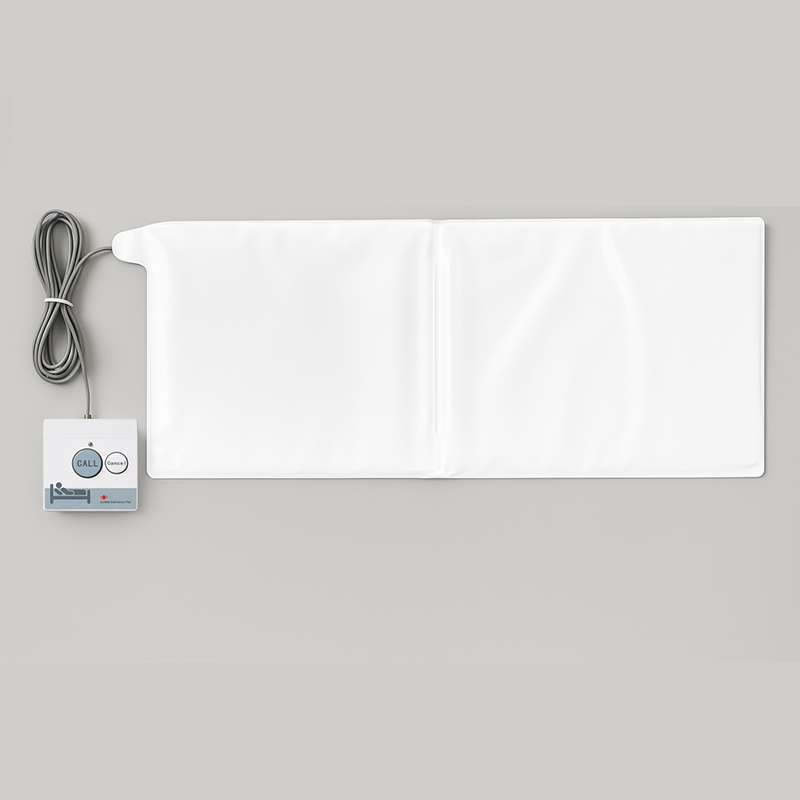
Bed Sensor Alarm Pad Wireless Fall Prevention System↗

bed pad sensor

Bed Sensor Alarm Pad Wireless Fall Prevention System

The MMCall Bed Sensor Alarm Pad helps care staff monitor when a resident leaves or returns to a bed. Used with compatible wireless receivers, it can send bed-status alerts to displays and caregiver watch pagers. A suitable management system can also record events for later review. This pressure-sensitive pad is intended for nursing homes, rehabilitation centers, and other care facilities that need additional bed-exit information. It supports staff awareness but does not replace direct supervision or other fall-risk measures.

Request a Quote1 options
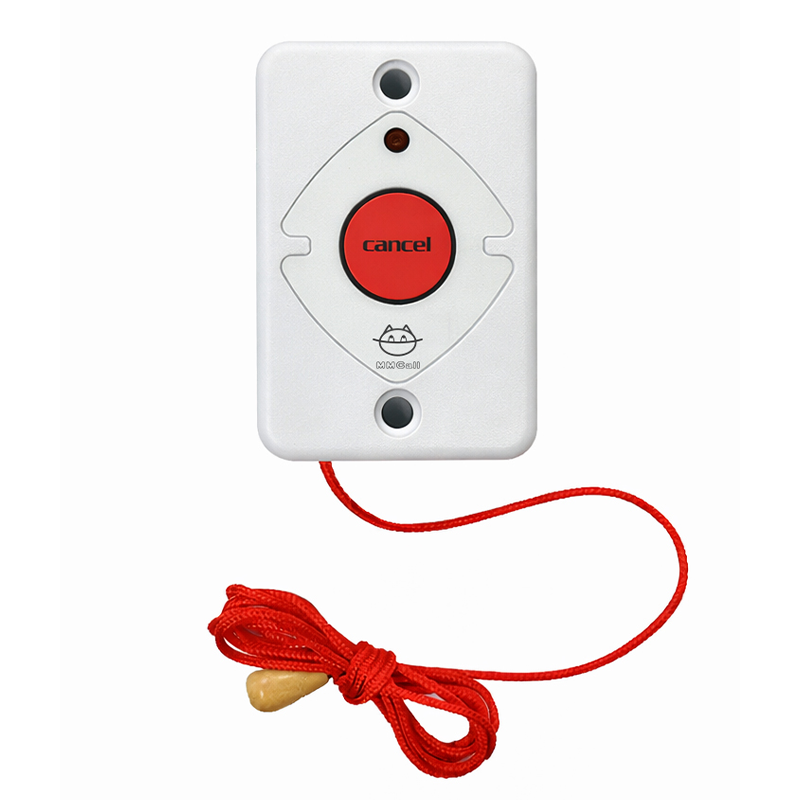
Pull Cord Button Emergency Call Bathroom Toilet Call↗

MMCall • Call Buttons

Pull Cord Button Emergency Call Bathroom Toilet Call

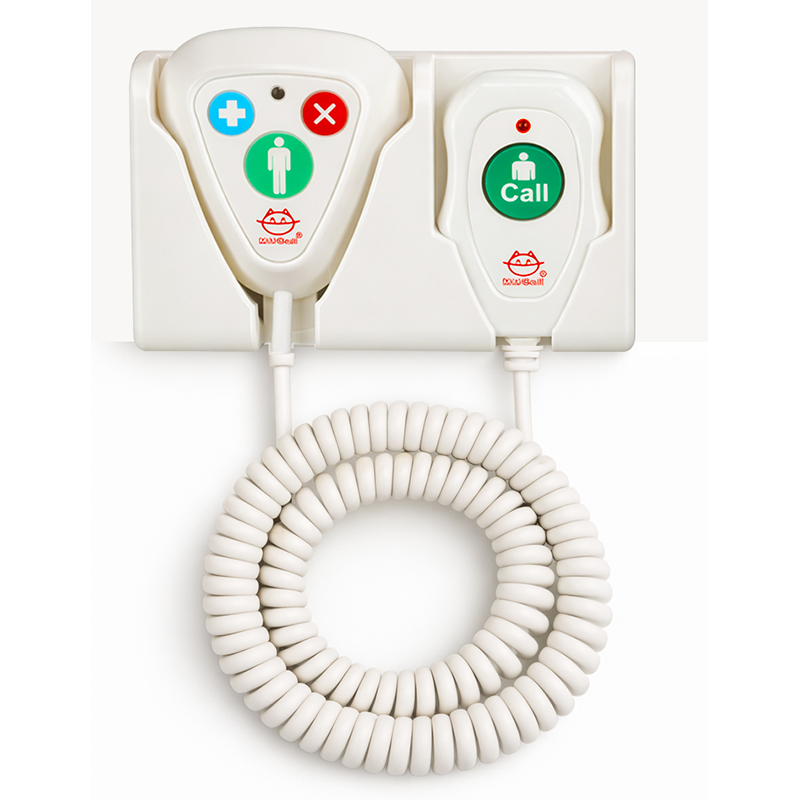
The MMCall Bathroom Emergency Pull Cord Call Button offers an accessible way to request assistance from a toilet or bathroom. A user pulls the cord to send a wireless alert and can press the cancellation button as provided by the device. It is intended for hospitals, nursing homes, and other facilities where an emergency calling point is needed near the bathroom. The alert can be delivered through a compatible MMCall receiver or nurse call system. Confirm installation height, cord length, frequency version, and receiver compatibility before deployment.

Request a Quote1 options
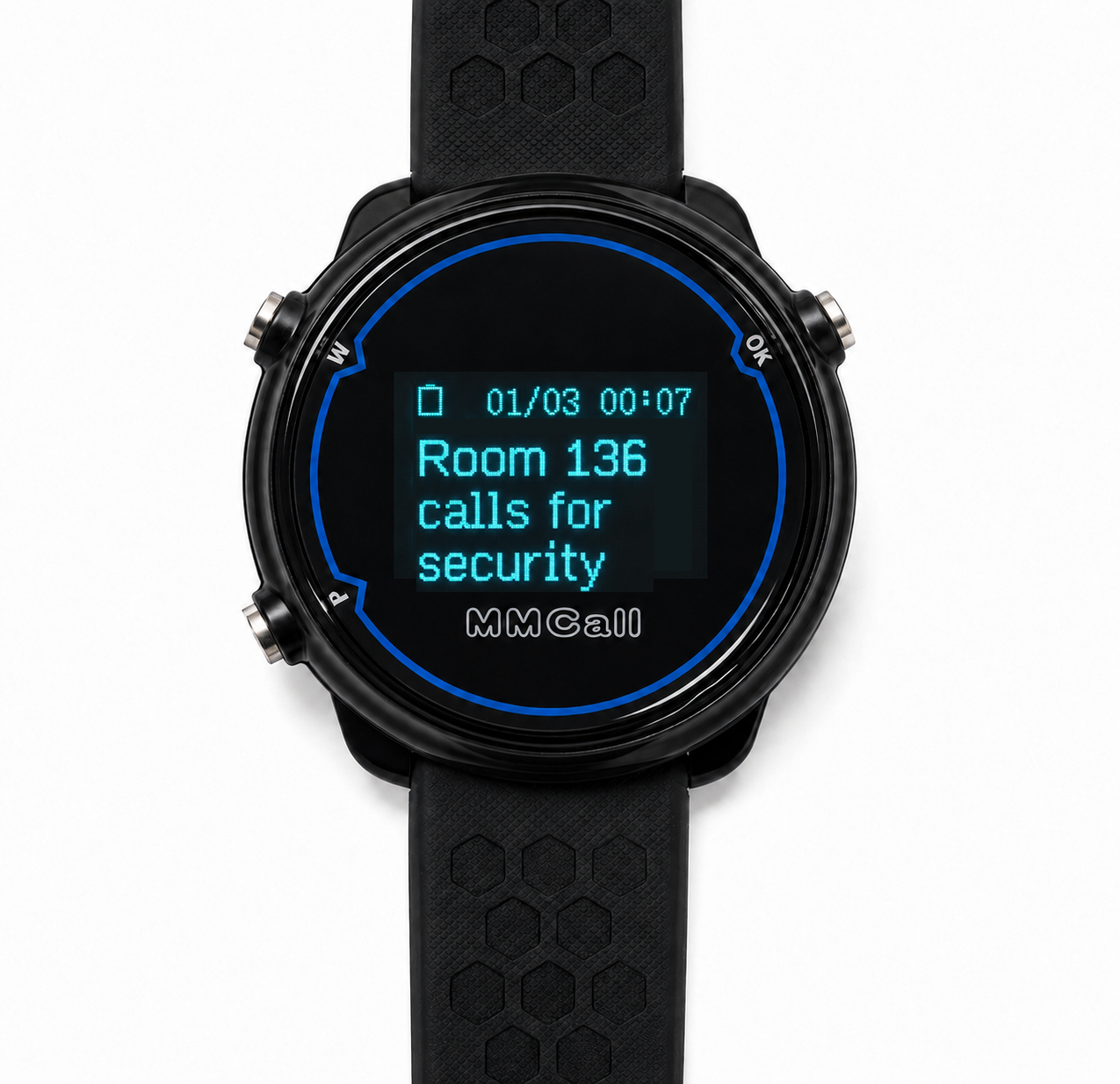
Staff Watch Pager↗

MMCall • Receivers

Staff Watch Pager

The MMCall Staff Watch Pager helps employees receive calling messages in restaurants, hospitals, nursing homes, and factories. Depending on the system, it can receive messages directly from compatible call buttons or through a C or T host. Its display shows up to three messages per screen, and users can turn pages to review earlier calls. Vibration alert. Power on/off settings can be customized. A full charge typically lasts 3–5 days, with shorter battery life when calls are frequent. The water-resistant design handles splashes and handwashing, but is not intended for immersion.

Request a Quote2 options
WiFi Nurse Intercom↗

MMCall • Intercom

WiFi Nurse Intercom

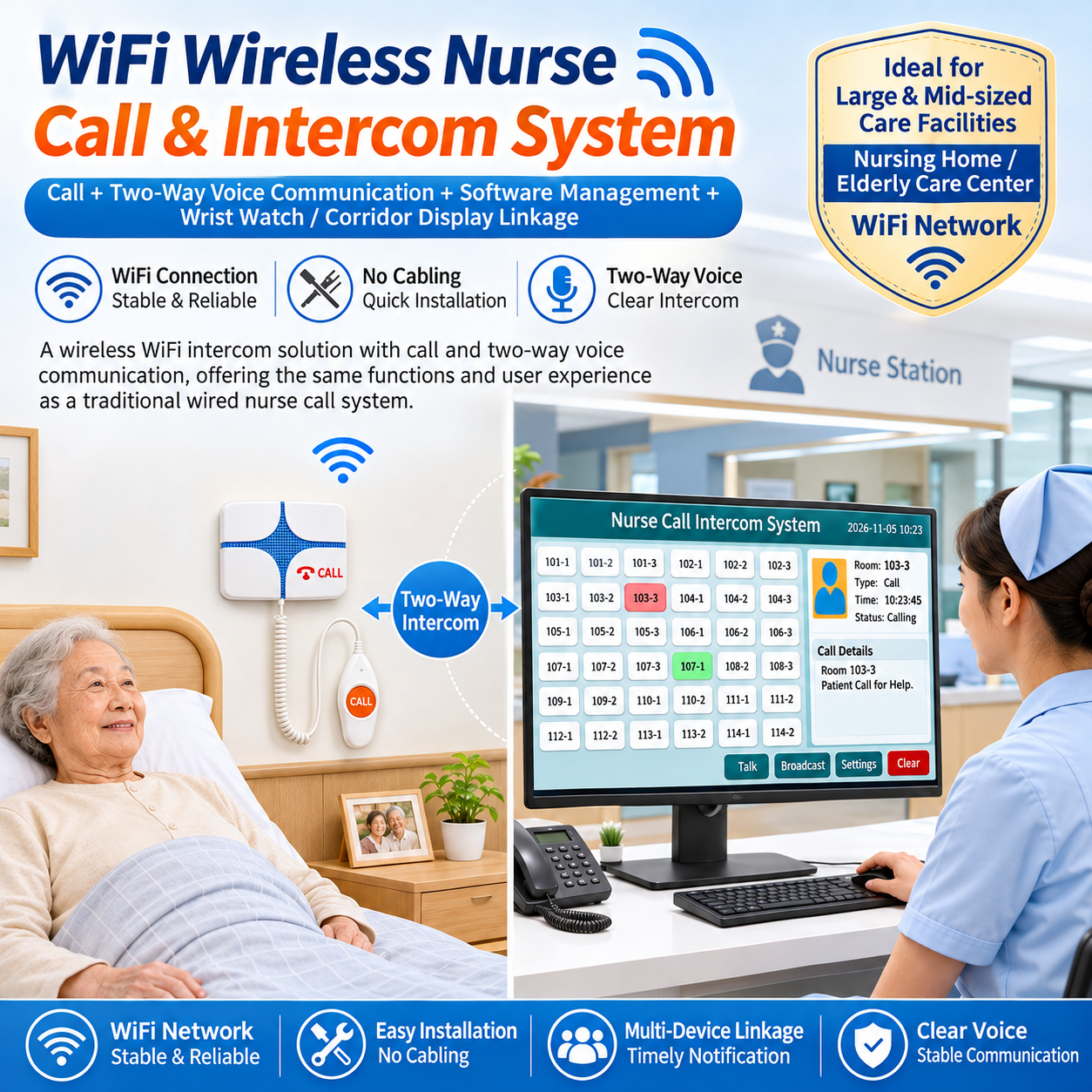
The MMCall WiFi Nurse Intercom lets patients call and speak with nursing staff through a compatible two-way voice system. It uses a suitable local WiFi network, reducing the need for dedicated intercom signal cables between patient rooms and the nurse station. The product can be considered for new healthcare installations or renovation projects. System planning should include WiFi coverage, device power, network capacity, and nurse station equipment. Voice functions depend on the selected terminals and matching system configuration.

Request a Quote2 options
Wireless Bedside Call Unit↗

MMCall • Call Buttons

Wireless Bedside Call Unit

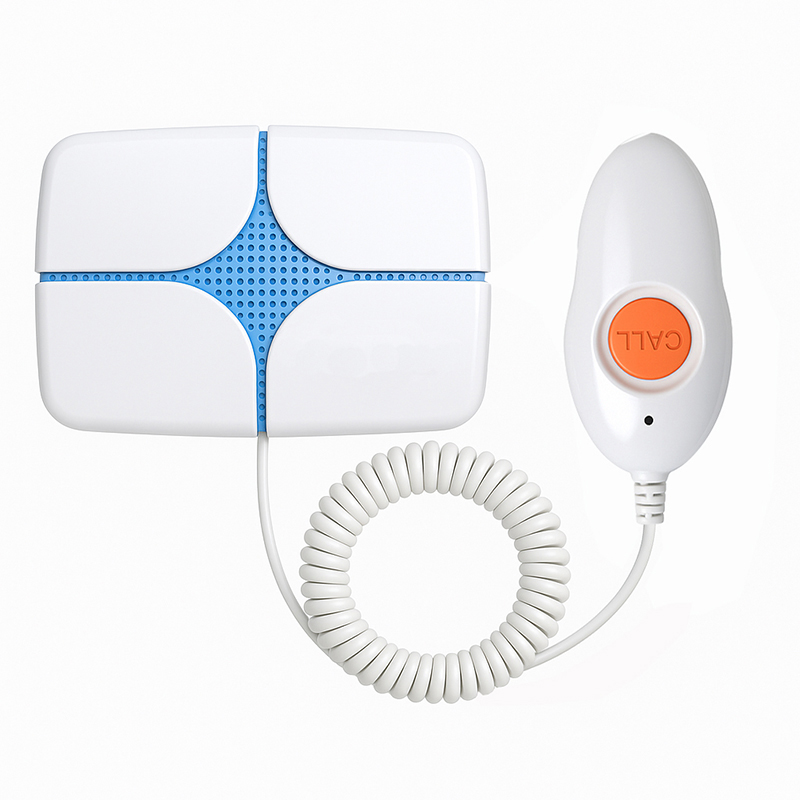
This wireless bedside call unit gives patients and care residents a convenient way to request assistance. Its handheld calling button can be placed within easy reach beside the bed and used with a compatible MMCall nurse call receiver. Depending on the system, requests may appear at the nursing station or on supported staff notification devices. It is suitable for hospitals, nursing homes, and long-term care facilities. Plan the number of call points, receiving locations, and required functions when choosing the complete system.

From USD 11.002 options
Advanced Infusion Alarm Call Button↗

MMCall • Sensor and Alarm

Advanced Infusion Alarm Call Button

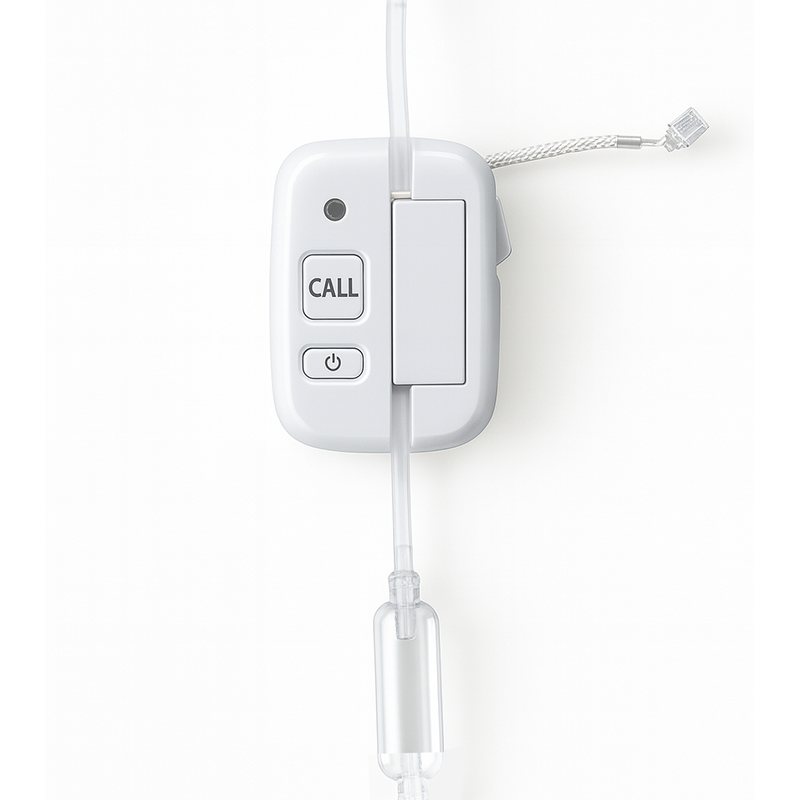
The MMCall Advanced Infusion Alarm Call Button is an auxiliary infusion monitoring device with an automatic pinch-off alarm function described for the end of an infusion drip. It is intended to send a notification through a compatible receiving system so nursing staff can check the situation. The listed SY02 version is designed for selected healthcare applications that require careful equipment and procedure evaluation. Its sensing, alarm, and pinch-off functions must be confirmed for the planned clinical use. It does not replace approved infusion equipment or direct nursing supervision.

Request a Quote1 options
Wireless Nurse Call Station Display↗

MMCall • Receivers

Wireless Nurse Call Station Display

The MMCall Wireless double sides Nurse Call Station Display with two colors(red and green alphanumeric ) display has voice notification. It is intended for fixed call reception in hospitals, nursing homes, and similar care facilities. The device usually is hang from ceilling in the corridor or the nurse station hall. It's power by cable eletricity working with MMCall C host and FSK call buttons.

Request a Quote1 options
Wireless Call System Display Screen↗

Wireless Call System Display Screen

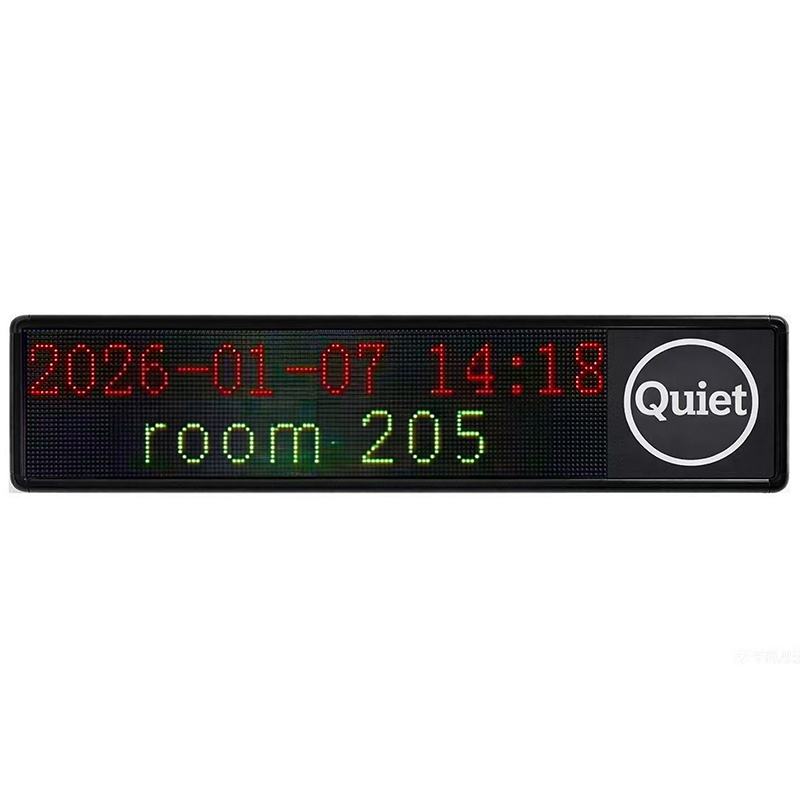
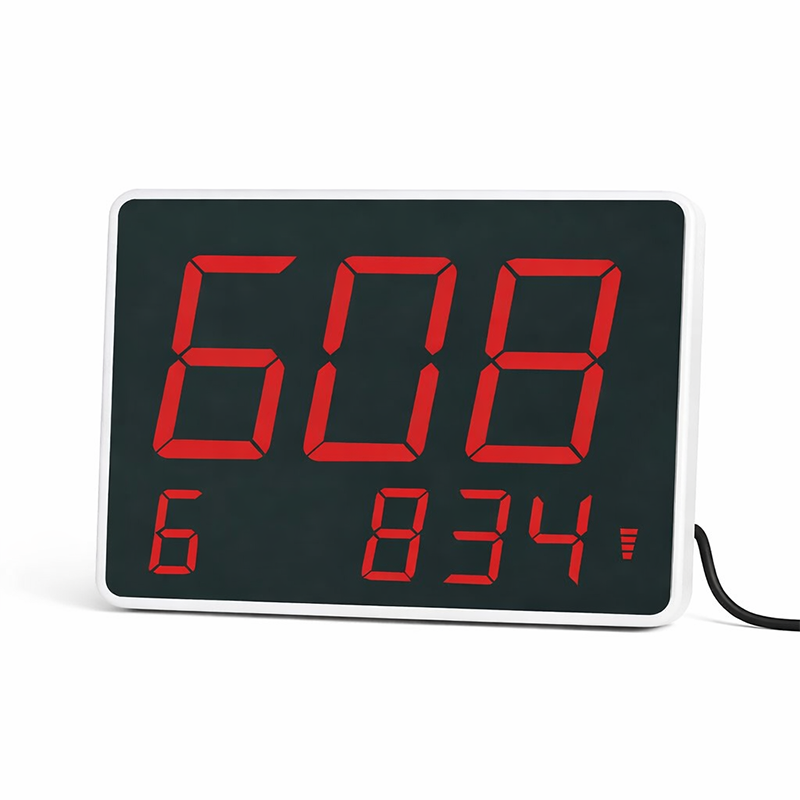
The MMCall Wireless Call System Display Screen is a receiving display for compatible wireless calling systems. It provides a fixed location where staff can check incoming call information instead of relying only on personal pagers. The screen may be considered for service counters, nursing stations, workshops, or other managed areas, depending on the selected model and receiving system. Display format, supported messages, number of calls shown, voice functions, and operating language should be confirmed against the actual product version before installation.

Request a Quote1 options
Choose products or tell us what you need. Our team will confirm pricing and sample availability.Request a Sample