Table Calling or Guest Paging: Which Way Does the Message Travel?
Trace a table-service request and a pickup notification to choose the right equipment for each counter.
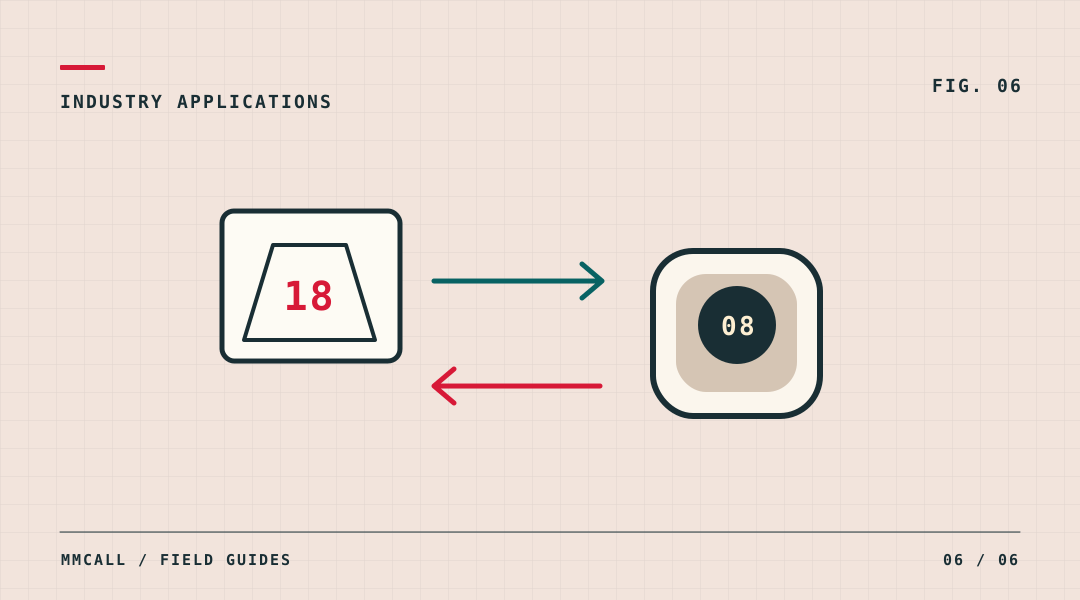
Draw an arrow for the busiest moment
At a full-service restaurant, the guest may need to ask a server to come to the table. At a pickup counter, it is usually the kitchen or counter team that needs to tell the guest their order is ready. Both are called restaurant paging, but the sender, receiver and operating routine are different.
Sketch one real request during a busy period. Put the person who initiates it on the left and the person who must act on the right. If you draw arrows in both directions, describe the two workflows separately before choosing products.
For table service, match the alert to the person on shift
A table call point can identify a table to an assigned staff receiver. Decide whether staff need a table number alone or a small set of actions, such as service or bill. A table with several keys is useful only if the receiving staff can distinguish the requests and have a sensible response for each one.
During a pilot, have adjacent tables call close together. Check that the labels are distinct and that the correct staff member notices each request while working. Agree how staff know a call has been attended to; an alert received is not proof that somebody visited the table.
For pickup, decide how each pager follows an order
Write down the handoff at the counter. A team member assigns a pager to an order, records the association, and pages the right unit when the order is ready. The guest returns the unit at pickup. Test what happens when orders finish out of sequence, when a guest changes seats, and when a returned pager is not yet ready to issue again.
- Count simultaneous waiting parties at the busy period, not just the number of seats.
- Agree where pagers are issued, collected, checked and placed for charging according to the model instructions.
- Walk the normal waiting area with the intended pager and verify the actual alert under representative conditions.
Build the quotation around the service model
Send the table count, the number of staff who need alerts, the expected number of simultaneous pickup orders and a sketch of the waiting area. If the site needs both workflows, request separate line items and demonstrations for table-to-staff calls and counter-to-guest notifications. Do not assume two products described as pagers can communicate with each other; confirm the proposed equipment combination.